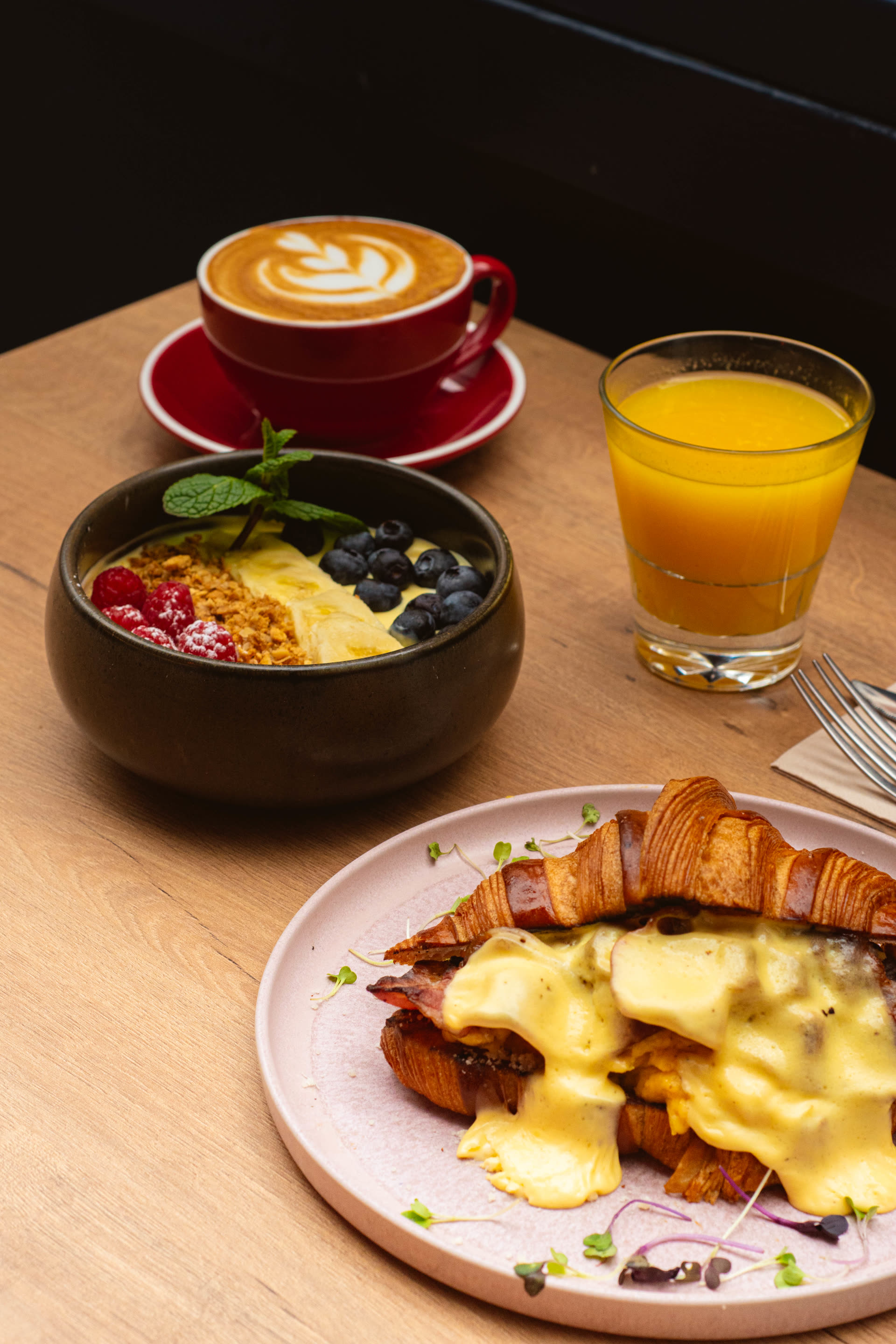
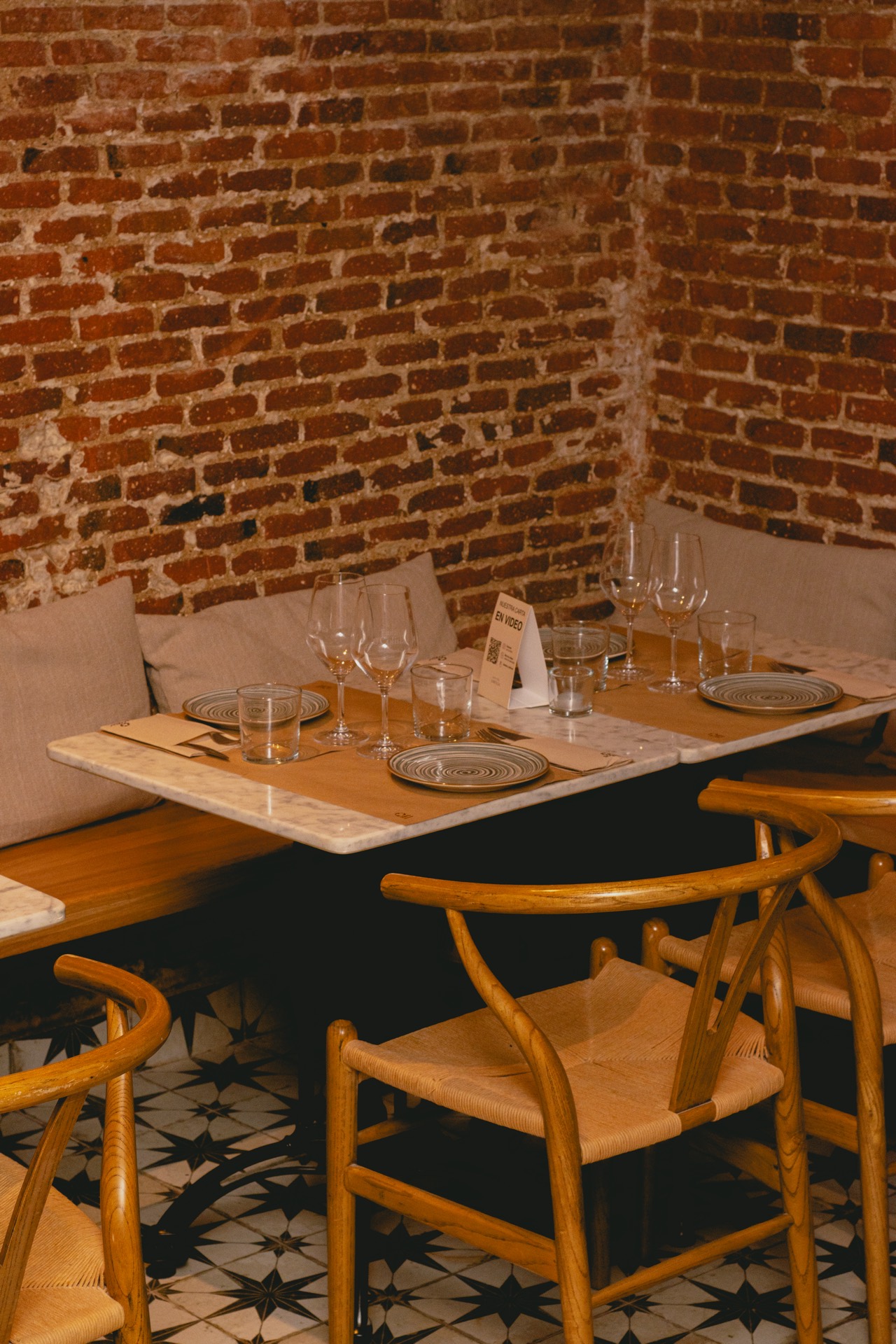
A business homepage needs one lead image that tells visitors in a single second what you do and what the room feels like, backed up further down the page by a second photograph that confirms the craft. Ten repetitive shots or a cropped Instagram graphic with text plastered over it only slows people down.
The first screen is judged in one second on a phone pavement-side
Almost everyone opening the website of your restaurant, café, or local shop is doing it on a mobile phone, often while walking down the street or stepping off the underground. In that first second, your lead homepage photograph (the hero image) has to answer two questions before the visitor reads a single paragraph: what kind of business you run and what the space feels like inside. If you lead with an abstract close-up of a folded napkin or a tiny crowd lost at the end of a street, people bounce straight back to search results.
Recycling a square Instagram graphic with text already baked onto it never works for a homepage header either, because cropping it wide chops off the doorway or clashes with your site's main headline. When Cristina shoots for a venue like Botequim or Barra Amelia, she frames the homepage hero specifically for the job: leaving clean breathing room so the venue name, neighbourhood, and WhatsApp or booking button sit legibly without covering the dish or the room.
If you want to capture the lead photographs for your website and Google listing in a single visit with proper framing and fast load sizes, Cristina shoots professional photography in Madrid; ask us for a no-commitment quote.
Tabletop shoot at Botequim, built to supply both the menu and the monthly social calendar.
The second photograph further down that confirms your craft
An effective homepage does not need a heavy slideshow of fifteen near-identical photos that take ten seconds to load on patchy mobile data. Two purposeful photographs captured during the same visit will carry the whole page: the first at the very top shows a laid table or the entrance at the hour when the window reads best, and the second—two sections further down—confirms the close-up quality of the dish, product, or person welcoming guests.
The key is making sure those two images show two distinct, complementary angles rather than repeating the exact same photo cropped differently. For instance, if the top hero shows the sunlit dining room with plates on the table to set the scene, the lower image shows your signature dish coming off the pass or your product as it is handed over the counter. We also export both files properly compressed for the web so the page loads instantly on any phone.
When to replace your homepage hero and the three-second outsider test
Resist the urge to swap your homepage hero photo every couple of months just because you are tired of looking at it yourself. For a local diner tapping through to check your menu or hours, recognising the exact same doorway, lighting, and tables they just saw on Google Maps reassures them they are in the right place. Only replace the lead photo when the physical reality changes: a dining room refit, a major shift in your menu, or a newly opened terrace.
Before signing off the page, run the three-second test with someone who does not work at the business: hand them your phone with the homepage open, let them look for three seconds, and ask them what you sell, which area you are in, and where to tap to book. If they answer all three without hesitating and the WhatsApp or booking button sits right under their thumb beneath the photo, your homepage is ready to work.
And if you also need your site layout or online menu tidied up so visitors turn into WhatsApp bookings, Cristina and Carlota help through hospitality marketing and design with a no-commitment quote.
On-location shot at the pass in Barra Amelia, captured with the exact plating served in the dining room.
Worksheet for choosing and testing the 2 core photos on your homepage
Use this checklist with your phone in hand to verify that your homepage images turn mobile visitors into bookings.
Business and neighbourhood: [name of restaurant, café, or shop / neighbourhood]
PHOTO 1 — Top Hero Image:
- What it shows in one second: [real room + signature dish or service + sense of the entrance]
- Breathing room in the frame: [clean space for the headline, area name, and button without covering the subject]
PHOTO 2 — Confirmation Image further down the page:
- New detail it adds (not a crop of Photo 1): [close-up dish at the pass / product detail / team welcoming guests]
Mobile load speed: [files compressed cleanly so the page opens fast on street mobile data]
Elements sitting right below Photo 1: [Live opening hours + street address + direct WhatsApp or booking button]
Three-second test with an outsider: [Can they state what we sell and where to tap to book? yes]
Thefirstscreenis decidedinasecond.
What the homepage has to show
If you need the core photographs for your website homepage and Google listing in Madrid, message us on WhatsApp.